Downloads
Over the years I've been into this retro computing hobby I've collected various little bits of software for use on my various bits of hardware. Here I have put together a curated list of all the hidden gems and otherwise hard to find tidbits that I thought other people might find interesting or have a use for.
Some of the links on this page are broken. I'm currently working to fix this.
Contents
Software
Graphics
Browsers
I have various PCs of different vintages that I've managed to connect to the internet. I like to run period correct browsers on these machines, and so I've spent some time hunting them down.
These days most people will just run Retrozilla on their vintage rig. It's a great piece of software, and something I use on a regular basis, but it is a bit of a resource hog and can bring some Pentium I and even Pentium II machines to their knees, and it simply won't work at all in Windows 3.x. (Although I haven't tested it in NT3.x)
I sort of feel sorry for the likes of mosaic, and I genuinely find these early browsers charming and enjoyable to use. If you're patient, you can even find a tiny fraction of active websites that will load on them!
Anyway, many old browsers, like most versions of Netscape and Internet Explorer, can be easily found in many places. Here I have included some of the more difficult to find ones that I have used on my machines.
Back to contents
Trumpet Winsock
Vanilla Windows 3.1 does not come with an inbuilt network stack. If you're using that (as opposed to Windows 3.11 for Workgroups) you won't have the software needed to connect to the internet.
Trumpet Winsock was a very popular third party program that solves this problem, albeit with some amount of configuration and fiddling.
I have included the original 1.0 release for that purist touch, and the 3.0d version which was the latest to run on 16 bit windows.
Trumpet Winsock v1.0
Trumpet Winsock v3.0d
Back to contents
Cello Browser
Before even Mosaic there was Cello. This browser for Windows 3.1 was based on violaWWW which ran on Unix. Cello never had the popularity of later browsers, but as far as I know it was the first for PCs, so I think it deserves to be mentioned.
As one might expect from such an early PC browser, from a time when the internet was mainly used on Unix systems in universities, Cello is quite technical and utilitarian.
The FAQ I have included might help you out a bit.
Cello Browser
Cello FAQ
Back to contents
Mosaic Browser
Mosaic was the first browser to really become popular in the mainstream on PCs. Many browsers were built off it, often with few changes, such as early versions of Internet Explorer.
There were three main releases of Mosaic which can be found relatively easily in various places. I have included the NCSA version 1.0 here. It's one of those products where countless rebrands, changes of ownership, and third-party licenses makes it maddenlingly difficult to keep track of the versions, but according to my research this should be the original.
Most of its configuration has to be done by manually editing an ini file, but somewhere I found this nifty little configuration tool that does it for you.
NCSA Mosaic v1.0
SetMos Mosaic configuration tool
Back to contents
Netscape Browser
Things really got exciting when Netscape came to town. This browser really needs no introduction. Most mainstream releases can be had easily on the internet, but typically they are the 'Netscape Navigator' release, which only includes the browser. 'Netscape Communicator' on the other hand is the whole suite, including an email client, html composer, and calendar, and requires quite some digging to find.
Version 4.04 and 4.61 seem to be major quite major releases, and although there's functionally little noticable difference, I like to have the earlier 1997 release running on my Windows 95 and NT4 systems, and the later 1999 release running on my Windows 98SE computer.
Netscape Communicator v4.04
Netscape Communicator v4.61
Back to contents
DOS Utilities
Here is a little collection of utilities I have gathered for various tasks on my vintage rigs.
They are mostly old pieces of software because I like having as much being period correct as possible. Needless to say, use at your own risk!
Anydrive
This is a useful utility if you have one of those old computers with no option of specifying custom harddrive geometry in the BIOS. If you want to use a CF card or some other HDD that doesn't match any items in the preset list of hard drive types, you could run into problems.
Anydrive sets itself up in the boot sector of your hard disk and overrides the BIOS settings for your drive.
ANYDRIVE.ZIP
Back to contents
Direc-Link
I found this piece of software on the hard drive of an old machine I picked up somewhere. It is basically a clone of the much more popular Laplink software. I have never found or heard any mention of Direc-Link anywhere online.
The purpose of this software, if you have never used Laplink before, is to conveniently transfer files between two PCs. You just need a null modem cable, and the program running on both ends, and you're good to go. No complicated networking required.
There's no real reason to use Direc-Link over Laplink. It does the same job, but is overall just a bit more cumbersome, and requires maybe a little bit more configuring. But if you like slightly wonky, obscure pieces of software as much as I do, then it's worth looking at!
direc-link.zip
Back to contents
GSetup
This is maybe not so much of an obscure program, but it's one that perhaps you didn't know you needed, or didn't know existed.
Gsetup is for mainly particularly old 286 machines which do not have a built-in BIOS configuration menu. It just runs from the commandline and lets you modify what few BIOS settings your 286 has.
It is intended for 100% IBM AT clones, but I've successfully used it on other machines as well.
Gsetup.zip
Back to contents
Mouse Clip
This might be a useful program to use in conjunction with some of the text editors also on this page.
Mouse Clip is a little TSR (terminate stay resident) program that gives mouse functionality to text based programs that don't have mouse capabilities built in.
It will not work with all programs - only ones that manage the cursor and a lot of their text handling through the BIOS. But when it works it becomes a convenient way to move your cursor around without having to use the keyboard, and I think it provides copy/paste functions as well.
mclip110.zip
Back to contents
Disk Revive
Have you ever dug out an old floppy disk from the bottom of a drawer, or an old box, only to find it no longer reads? Fear not! This does not always mean the disk and the data are beyond repair. The magnetism of the media will weaken over time, but sometimes it can be coaxed back into life.
Revive will repeatedly try to read a floppy disk until it succeeds, basically tickling the bits back to life. And I have probably mangled that explanation, but I have successfully saved some floppies with this method.
It won't be able to fix every disk, but it's certainly worth a shot before you give up on it!
revive.zip
Back to contents
Scorch safe file wiper
Don't let the name fool you, this is not the mother of all games - this is a DOS commandline utility for securely deleting files by overwriting them several times so that they cannot be retrieved.
scorch.zip
Back to contents
Sigma Mouse Driver
I wanted a period correct mouse driver that wasn't from Microsoft for one of my old systems. This is the best one I could dredge up from the sunless regions of the internet. It is branded, but can be used as a generic driver.
sigmaqm.zip
Back to contents
Unisound
One of the few modern pieces of software I've included in my collection, Unisound was made by user JazeFox on Vogons. (Thread and full info here.)
This amazing piece of software will configure and initialise nearly any sound card you can think of in DOS, all with a very small footprint.
If, like me, you've ever been frustrated by the official drivers for various soundcards - with the included bloatware, huge memory footprints, gimmicky configuration utilities and often less than complete performance or functionality (I'm looking at you Creative) - then you'll understand why I make an exception to my period purism for this little gem. I think it will even allow AWE32 cards to work in protected mode games. Don't quote me on that - my AWE32 died before I could test it properly.
UNISOUND028a.zip
Back to contents
Text Editors
In my never ending quest for period correct software, I needed a text editor that pre-dated Microsoft EDIT.EXE, but filled the same niche. So something that was general purpose, relatively user-friendly, feature-rich and with a low memory footprint. I also wanted something freeware or non-proprietary. Choices are pretty slim, but trawling through texteditors.org for way too long, I eventually found some of various vintages that spoke to me. Here they are for anybody that's interested in this particular set of features.
Older text editors generally didn't have mouse support, but it may surprise you to know you can supply your own with a little TSR called Mouse Clip. I haven't tested it with all of these editors, but I feel like it should work across the board.
ED IBM
This editor from 1984 has plenty of charm, and an amazing set of features for its age. From a time where people were still regularly torturing themselves with EDLIN, this editor feels refreshingly easy to use. Great even on a clunking 4.77mhz 8088 machine.
EDIBM.ZIP
Back to contents
SLED
I don't know why I like this editor from 1987 so much - it's a little bit of a bear to use compared to some of the other editors on this list, with its own unique shortcuts to learn and clumsy way of navigating. But it has a very small footprint, and plenty of personality.
SLED.zip
Back to contents
TE 2.5
This Public Domain editor from 1991 is configurable, and has more of those wonky shortcuts you have to memorise. Nice in its own way though.
TE25.ZIP
Back to contents
UED 1.9
I was a little hesitant about including this editor from 1991, since it's shareware, but it has such a great set of features I decided I couldn't leave it off.
UED is a bit ugly, but it is highly configurable and very user-friendly by the standards of the time. Worth a look.
UED19CE.ZIP
Back to contents
Windows 3.x stuff
Just a couple of little things for Windows 3.x you might find useful.
Windows 3.0 VGA Drivers for 8088 machines
Windows 3.0 was the last version of Windows to run on an 8088 machine, provided you ran it in Real Mode. But unfortunately the included VGA driver needed a 286+ to work. This is a modified version of that driver that should work on an 8088 if you have a VGA card.
Windows 3-0 8088 VGA driver.zip
Back to contents
Windows 3.x updates
This is just a little collection of updates and bug fixes for Windows 3.x, such as a Y2K fix and some updated networking components.
They are intended for 3.1 and up, but I think some of them should work for 3.0 as well.
Windows 3X Updates.zip
Back to contents
Graphics
Here I have a handful of wallpapers and other graphics I have made for theming old operating systems. You may get the idea from this that I am a bit of a consumer whore and microsoft fanboy, but nothing could be further from the truth. Without getting too much into my philosophy on this (maybe I'll write an article on it at some point), I'll just say I just like consistent, tasteful, curated and appropriate themes in my Operating Systems. OEMs actually fall pretty short in this regard.
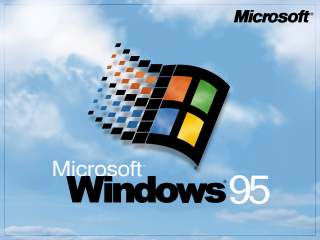
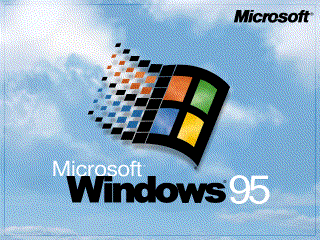
Windows 95 Wallpapers
These are a few OEM style wallpapers for Windows 95 I made.
320x200
Logo, title and clouds
Logo, title and clouds 256 colours
Logo and title, plain
Logo and title, plain, 256 colours
Logo and clouds
Logo and clouds 256 colours
640x480
Logo, title and clouds
Logo, title and clouds, 256 colours
Logo and title, plain
Logo and title, plain, 256 colours
Funky
Funky 256 colours
Logo and clouds
Logo and clouds, 256 colours
800x600
Logo, title and clouds
Logo and title, plain
Logo and title, plain, 256 colours
Logo and clouds
Logo and clouds, 256 colours
1024x768
Logo, title and clouds
Logo and clouds
1280x960
Logo, title and clouds
Logo and clouds
Compaq themed graphics
Here are some graphics for a compaq machine I used to own.
16 Colour tiled wallpaper for windows
Another 16 Colour tiled wallpaper for windows
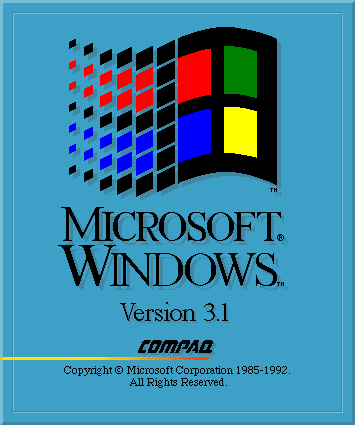
Compaq splash screen for Windows 3.1
I made this one to replace the official OEM splash screen from compaq, because I didn't like how it looked. You will need to convert it to RLE format. At some point I will do this and upload it. Then you will need to use the winlogo program to patch your copy of windows.
Compaq logo ANSI image
This is a coloured ANSI splash screen for DOS. Looks good if you include it in your autoexec.bat
Fully 90s
This is an old wallpaper I made for use in Windows 95 and 98. I've come to realise that the memphis-milano style squiggles and shapes already look a bit anachronistic when used in software of the mid- to late-90s, so the name of this one is kind of inappropriate. I don't really love this wallpaper anymore, but I don't hate it either.
Full colour, 640x480
256 colour, 640x480
Full colour, 1280x960
256 colour, 1280x960
Full colour, 1920x1440
256 colour, 1920x1440
Full colour, 1920x1080
Full colour, 800x600
Back to contents
Assorted graphics
These are just a bunch of random bits and pieces I've made to theme various systems.
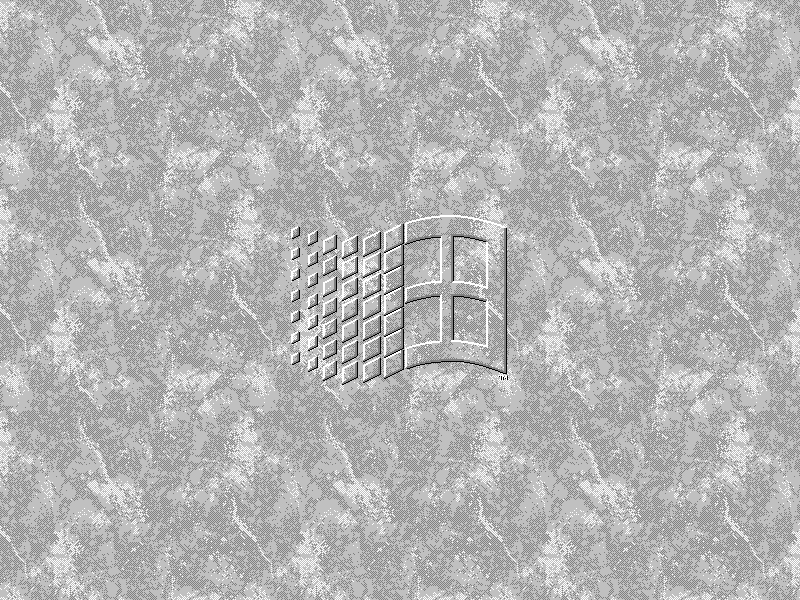
Tasteful Windows 3.x marble wallpaper, 800x600
My favourite wallpaper in Windows 3.1 was always 'Marble', leaning toward the variant with the Windows logo on it. However, it always bothered me that it never tiled in a satisfying way, by cutting edges off where it didn't quite fit.
I made this one as a solution, painstakingly putting it together with an early version of Corel photopaint just because I could.
Matrox Mystique wallpaper
In the computer lab in my high school there was a poster for the Matrox Mystique graphics card, with that weird jester displayed prominently. Even though I had little to no interest in the card at the time, for some reason the image stuck with me.
Right now I'm planning a build for a mid-90s system involving a Matrox Mystique, just because it's etched into my mind, and I thought it would be cool to make up a Wallpaper for it.
It's hard to find good, high-res, digital images of this stupid jester. I ended up cobbling this thing together from various scans of promo art and even an ebay listing. It looks OK at a glance, but if you look close it's a bit messy.
If anybody has access to better quality images, I'd love for you to get in touch!
Atari PC3 ASCII splash screen
One of my favourite computers (currently inoperable, waiting on repairs) is an 8088 based Atari PC3. A lot of people don't even realise Atari made PC compatibles!
Well, I made a cute little splash screen for it to pop into my Autoexec.bat.
Back to contents
|